
The average American household spent $77,158 in 2024 — a staggering 44% increase from just a decade earlier, according to WalletHub. Meanwhile, a Bankrate survey found that fewer than one-third of Americans actually reviewed their budget in the past 30 days. If your money seems to vanish before the month ends, the fix might be simpler than you think: a free monthly budget template you can open right now and start using tonight.
Whether you get paid weekly in London, bi-weekly in Chicago, or monthly in Berlin, a well-designed budget spreadsheet removes the guesswork from personal finance. You do not need a paid app, a financial advisor, or an accounting degree. You need a single template that matches the way you earn and spend.
In this guide, you will find 10 carefully selected budget templates — available in Google Sheets, Microsoft Excel, and printable PDF — covering every situation from student life to family planning to freelancer income. Each one is free, customizable, and designed for 2026. By the end, you will know exactly which template fits your life and how to make it work from day one.
Table of Contents
- Why You Need a Budget Template (Not Just an App)
- Template 1: Simple Monthly Budget (Best for Beginners)
- Template 2: 50/30/20 Budget Spreadsheet
- Template 3: Zero-Based Budget Template
- Template 4: Bi-Weekly Paycheck Budget
- Template 5: Family Budget Planner
- Templates 6–10: Debt Payoff, Savings Tracker, Freelancer Budget, Couples Budget, Student Budget
- How to Customize Any Template for Your Income
- Download All Templates Free
- FAQs About Free Budget Templates
Why You Need a Budget Template (Not Just an App)
Budgeting apps have exploded in popularity, yet research consistently shows that people who use spreadsheets and templates tend to stick with their budgets longer. Why? Control and visibility.
A budget spreadsheet template free of restrictions lets you see every number at once. There are no hidden algorithms deciding how to categorize your spending and no subscription fees that quietly drain your account. According to a Debt.com survey, 86% of Americans reported having a budget, but 83% of them admitted they regularly exceeded it. The issue is rarely a lack of tools — it is a lack of the right tool that matches your actual financial life.

Apps like Mint or YNAB work well for some people, but they come with limitations. Many require linking your bank accounts (a privacy concern in the UK and EU especially, where GDPR makes consumers cautious about sharing financial data). Others lock premium features behind paywalls of $5–$15 per month. Over a year, that is $60–$180 spent on a tool that is supposed to help you save money.
A free monthly budget template in Google Sheets or Excel gives you three advantages apps cannot match. First, total customization — you add or remove categories based on your real expenses, not a preset list. Second, offline access — download the Excel or PDF version and you can update your budget anywhere, even without internet. Third, permanence — your spreadsheet will not disappear if a company shuts down or changes its pricing model.
For readers in the UK and EU, spreadsheets also make it straightforward to budget in pounds or euros without dealing with currency conversion glitches common in US-centric apps.
If you are exploring budgeting strategies for the first time, our complete guide to budgeting basics walks you through every method step by step.
Template 1: Simple Monthly Budget (Best for Beginners)
If you have never tracked your money before, start here. The Simple Monthly Budget template is a single-page spreadsheet with two columns: income on the left, expenses on the right. That is it. No complicated formulas, no confusing categories.
What it includes:
- A section for all income sources (salary, freelance, benefits, side hustle)
- Fixed expenses (rent/mortgage, insurance, utilities, subscriptions)
- Variable expenses (groceries, dining out, transport, entertainment)
- A summary row that automatically calculates the difference between income and total spending
Who it is best for: First-time budgeters, single-income households, and anyone who has tried budgeting before but felt overwhelmed by complexity. This template follows the “keep it simple” principle — the fewer barriers between you and your budget, the more likely you are to use it consistently.
How to use it: Download the Google Sheets version and make a copy. Enter your monthly after-tax income at the top. Then list every recurring expense you can identify by checking your last three bank statements. Finally, estimate your variable expenses. At the end of the month, compare your estimates against actual spending and adjust.
The CFP Board found that consumers who maintain a budget feel 62% more in control of their finances and 55% more confident about their money. This simple template is your entry point to that confidence. Even if you graduate to a more detailed printable budget template 2026 later, this is the foundation everything else builds on.
Template 2: 50/30/20 Budget Spreadsheet
Popularized by Senator Elizabeth Warren in her book All Your Worth, the 50/30/20 rule remains one of the most widely recommended budgeting frameworks in personal finance. The concept is elegant: allocate 50% of your after-tax income to needs, 30% to wants, and 20% to savings and debt repayment.
What this template does differently: Instead of asking you to categorize dozens of individual expenses, it groups everything into three broad buckets. The spreadsheet auto-calculates your target amounts based on your income and flags any category where you are overspending.

A practical example: If you earn £2,800 per month after tax in the UK, your targets are £1,400 for needs (housing, utilities, groceries, minimum debt payments), £840 for wants (dining, entertainment, hobbies, non-essential shopping), and £560 for savings and extra debt repayment.
For readers in the EU earning €3,200 monthly, that translates to €1,600 for needs, €960 for wants, and €640 for savings.
A word of realism: Housing costs in cities like London, New York, Amsterdam, and San Francisco often consume well over 30% of income on their own, making the strict 50% needs allocation difficult. This template includes an adjustable slider row — if your housing costs push needs to 55% or 60%, it automatically rebalances the remaining categories so your budget still works.
This monthly budget Google Sheets template is ideal for mid-career professionals who have a stable income and want a straightforward framework without tracking every coffee purchase. If you are still building your emergency fund, our guide on smart saving strategies pairs perfectly with this template.
Template 3: Zero-Based Budget Template
Zero-based budgeting is the method where every single dollar, pound, or euro of your income is assigned a specific job — until you reach exactly zero. According to Self Financial, zero-based budgeting is the most popular budgeting method in the United States, used by roughly one-third (33.3%) of people who budget.
The philosophy is simple but powerful: if you earn $4,500 this month, you must plan exactly where all $4,500 goes. Nothing is left unaccounted for. Money that is not directed toward a specific purpose tends to evaporate into impulse purchases and forgotten subscriptions.
What the template includes:
- Income section with rows for primary job, secondary income, benefits, and other sources
- Expense categories broken into housing, transportation, food, insurance, personal, recreation, and debt
- A “Give Every Dollar a Job” tracker that shows your remaining unallocated balance in real time
- A month-end reconciliation section comparing planned versus actual spending
Why it works: This method forces intentionality. When you have to physically type a number next to every spending category, you naturally start questioning whether each expense deserves a place in your budget. Researchers at Fidelity note that the zero-based approach is especially effective for people trying to eliminate debt or save for a specific goal, because it prevents the “I’ll just spend what’s left” mentality.
Who should use it: People who are serious about debt payoff, aggressive savers, and anyone who has tried simpler budgets but still finds money “leaking” at the end of the month. It requires more maintenance than the 50/30/20 method — plan to spend 20–30 minutes each week updating it — but the results are consistently stronger.
This free monthly budget template is available in both Google Sheets and Excel, with the Excel version offering conditional formatting that highlights overspent categories in red.
Template 4: Bi-Weekly Paycheck Budget
If you are paid every two weeks (as most American employees are), a standard monthly template can create confusion. Some months you receive two paychecks, others three. Bills are due on fixed dates, but your income arrives on shifting ones. The bi-weekly paycheck budget template solves this by organizing your finances around pay periods instead of calendar months.
How it works: The template divides the month into two (or three) pay periods. Each period has its own mini-budget. You assign specific bills and expenses to each paycheck based on their due dates. Rent and the car payment might come from Paycheck 1, while utilities and insurance come from Paycheck 2.
The bonus paycheck strategy: Twice a year, bi-weekly workers receive a third paycheck in a single month. This template includes a dedicated section for planning those “extra” checks. Financial planners typically recommend directing at least 50% of bonus paychecks toward savings or debt, since your regular bills are already covered by the first two.
A UK perspective: While monthly pay is more common in the United Kingdom, many gig workers, contractors, and part-time employees are paid weekly or bi-weekly. This template accommodates weekly pay as well — simply adjust the period length from 14 days to 7.
This template is particularly useful for households that have struggled with overdrafts or late fees because expenses and income were misaligned. By matching specific bills to specific paychecks, you always know which obligations are covered and which are upcoming. The budget spreadsheet includes a simple visual calendar showing bill due dates alongside expected pay dates, so there are never surprises.
Template 5: Family Budget Planner
Managing money as a family is fundamentally different from solo budgeting. You are coordinating multiple income streams, accounting for children’s expenses, and planning for long-term goals like education savings and family holidays. The Family Budget Planner template is designed specifically for households of three or more.

What makes it different: This template includes categories that single-person budgets typically omit — childcare costs (which average $14,117 per year in the United States according to the Department of Labor), school supplies, extracurricular activities, family medical expenses, and dedicated savings rows for education funds like 529 plans (US), Junior ISAs (UK), or children’s savings accounts in EU countries.
Dual-income support: The income section accommodates two earners with separate salary, bonus, and freelance rows. It calculates combined household income and allows you to see each partner’s contribution percentage — useful for couples who split expenses proportionally rather than 50/50.
Built-in annual planning: Beyond monthly tracking, this template includes a 12-month overview tab. You can plot irregular expenses like holiday spending (December tends to spike household budgets by 20–30%), back-to-school costs in August/September, and annual insurance renewals. Seeing the full year helps families avoid the common trap of budgeting perfectly for ten months and then scrambling during the expensive ones.
For families looking to reduce grocery and household spending, our article on practical ways to save money every month is packed with tips that pair directly with this planner.
Templates 6–10: Debt Payoff, Savings Tracker, Freelancer Budget, Couples Budget, Student Budget
The remaining five templates address specific financial situations that a general-purpose budget cannot fully serve.
Template 6 — Debt Payoff Budget: Built around the debt avalanche method (targeting highest-interest debt first) and the debt snowball method (targeting smallest balances first). The template includes fields for every debt: balance, interest rate, minimum payment, and extra payment. It calculates your projected debt-free date and shows how even an extra $50 or £40 per month accelerates your timeline. With the average American carrying $6,329 in credit card debt (per TransUnion data), this template turns an overwhelming number into an actionable plan.
Template 7 — Savings Tracker: A visual, goal-oriented template. Set up to five savings goals — emergency fund, holiday, down payment, new car, education — and track your monthly progress. A built-in progress bar for each goal provides motivation by showing what percentage you have completed. Research shows that visual tracking increases goal completion rates significantly.
Template 8 — Freelancer and Self-Employed Budget: Freelancers face unique challenges: irregular income, estimated tax payments, and business expenses mixed with personal spending. This budget spreadsheet template free download separates business and personal finances, includes a quarterly tax estimation calculator (aligned to US, UK, and EU self-employment tax rates), and uses a three-month income average to set realistic spending limits during lean periods.
Template 9 — Couples Budget: Designed for partners who want financial transparency without fully merging accounts. It includes three sections: Partner A’s personal expenses, Partner B’s personal expenses, and shared household expenses. Each partner sees their individual obligation alongside joint costs, reducing arguments about money — which remain the leading cause of relationship conflict according to the Institute for Divorce Financial Analysts.
Template 10 — Student Budget: Tailored for university students in the US, UK, and EU. It accounts for tuition, student loan disbursements, part-time job income, textbooks, and the reality of tight margins. The template includes a weekly spending limit calculator so students can translate their semester budget into a manageable daily and weekly figure. If your total budget for the semester is $4,000 over 16 weeks, that means $250 per week or roughly $35 per day — a number that is far easier to manage mentally than a large lump sum.
How to Customize Any Template for Your Income
No template will be perfect out of the box. Your life, your income, and your expenses are unique. Here is how to make any of these ten templates truly yours in under 30 minutes.
Step 1 — Gather your real numbers. Pull up your last three months of bank and credit card statements. Note your actual average income (after tax) and your actual average spending in each category. Do not guess — guessing is the number one reason budgets fail. Real numbers create real budgets.
Step 2 — Add or remove categories. If you do not own a car, delete the transportation row and reallocate those funds. If you have a specific expense not listed — say, a storage unit or a pet — add a custom row. Every template in this collection is fully editable in Google Sheets and Excel.
Step 3 — Set your currency. All templates default to USD ($), but switching to GBP (£) or EUR (€) takes one click. In Google Sheets, go to File > Settings > Locale and select your country. The currency symbol updates across the entire sheet automatically.
Step 4 — Build in a buffer. Even the most detailed budget cannot predict every expense. Add a “Miscellaneous” or “Buffer” row equal to 5–10% of your income. This is not an excuse to overspend — it is a safety net for genuinely unexpected costs like a car repair or a medical co-pay.
Step 5 — Schedule a monthly review. Set a recurring calendar reminder for the first or last day of each month. Spend 15–20 minutes comparing your planned budget against actual spending. Adjust the next month’s template based on what you learn. Budgeting is not a one-time event — it is a monthly habit that gets easier and more accurate over time.
If you are looking for ways to increase the income side of your budget, explore our side hustle and income ideas to find strategies that fit your schedule.
Download All Templates Free
All 10 templates are available in three formats to match your preference.
Google Sheets: The recommended option for most users. You get automatic cloud backup, easy sharing with a partner or financial advisor, and access from any device. Simply click the link, select “File > Make a Copy,” and the template is yours to edit freely.
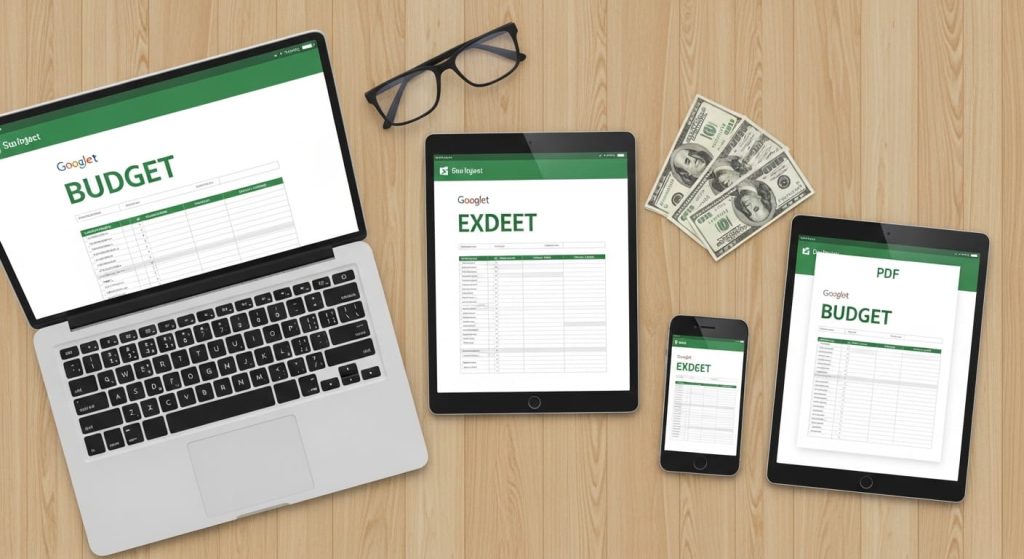
Microsoft Excel (.xlsx): Ideal if you prefer working offline or already use Excel for other financial tracking. Download the file, save it to your computer or OneDrive, and start customizing. All formulas and formatting are fully compatible with Excel 2016 and later, as well as the free web version of Excel through Microsoft 365.
Printable PDF: For those who prefer pen-and-paper budgeting, each template is available as a clean, printer-friendly PDF. Studies show that physically writing down financial goals increases commitment, so this option is perfect if you like the tactile experience of managing money on paper.
How to access them: Visit shafayat.com/category/budgeting/ and look for the “2026 Free Budget Templates” resource section. All downloads are completely free — no email signup required, no paywall, no hidden fees. Just click and start budgeting. or download from bellow –
These templates are updated annually to reflect current cost-of-living averages and financial best practices. The 2026 editions include refreshed default categories based on the latest household spending data from the Bureau of Labor Statistics (US) and the Office for National Statistics (UK).
Frequently Asked Questions
What is the best free monthly budget template for beginners?
The Simple Monthly Budget template (Template 1 in this guide) is the best starting point. It has just two sections — income and expenses — with no complicated formulas. You can set it up in under 10 minutes and start tracking immediately. Once you are comfortable, upgrade to the 50/30/20 or zero-based template for more detailed control.
Can I use these budget templates in Google Sheets on my phone?
Yes. All Google Sheets templates work fully on the Google Sheets mobile app for both iPhone and Android. You can view, edit, and update your budget from anywhere. For the best experience on a small screen, use the app rather than a mobile browser — the formatting stays cleaner and the formulas remain intact.
Are these templates useful outside the United States?
Absolutely. While the default currency is USD, every template can be switched to GBP, EUR, or any other currency within seconds. The expense categories — housing, food, transport, insurance, savings — are universal. Readers in the UK, Germany, France, the Netherlands, and other EU countries use these same templates successfully. Simply adjust the category labels to match local terminology (e.g., “council tax” in the UK instead of “property tax”).
How often should I update my budget spreadsheet?
At minimum, review and update your budget once per month. Many people find that a quick weekly check-in (5–10 minutes) helps them stay on track and catch overspending before it snowballs. The bi-weekly paycheck template is specifically designed for people who prefer updating with each pay period.
Is a budget template better than a budgeting app?
It depends on your preference. Templates offer more customization, complete privacy (no bank account linking), and zero cost. Apps offer automation and real-time transaction tracking. Many financial experts recommend starting with a free template to learn budgeting fundamentals, then adding an app later if you want automated features. The best budget is the one you actually use consistently.
Conclusion
Taking control of your money starts with one action: opening a budget template and filling in your real numbers. Here are three key takeaways from this guide. First, a free monthly budget template removes every barrier to getting started — no cost, no complexity, no excuses. Second, matching the right template to your situation (beginner, family, freelancer, student) dramatically increases the odds that you will stick with it. Third, consistency beats perfection — even a basic budget updated monthly will transform your financial awareness over time.
Save this guide for the next time you sit down to plan your finances, and share it with anyone who could use a fresh start with money in 2026.
Read next: How to Save Money Fast on a Low Income
